

Senior / Staff Interaction Designer (2015 - 2019)
I spent four years working on consistent UI components, accessibility, and account settings across the Google universe, between Munich, Silicon Valley, and Tel Aviv.
OneGoogle
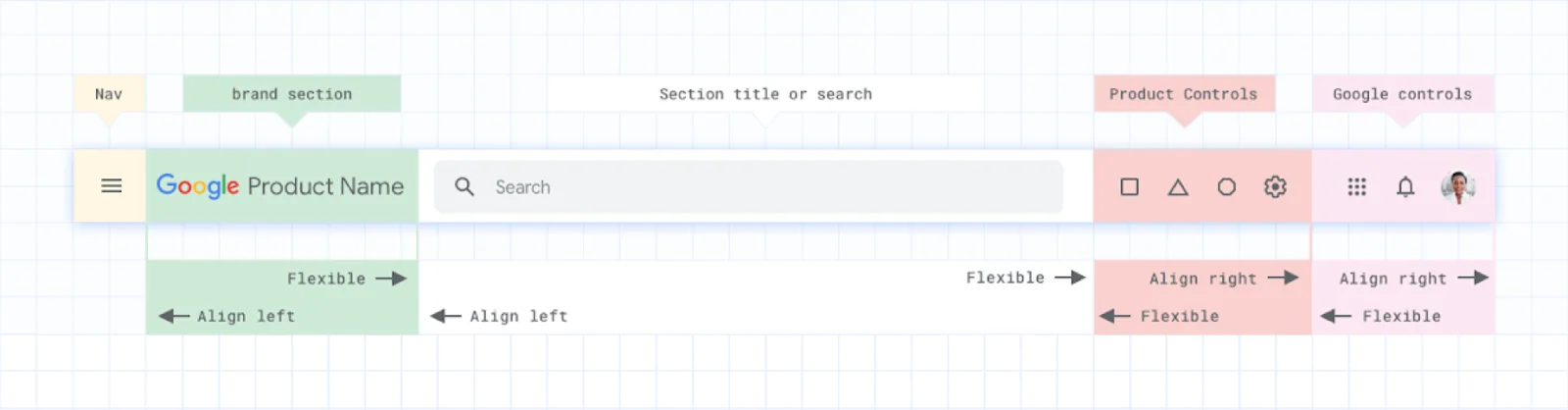
OneGoogle began in 2016 as an effort to bring consistency—and engineering efficiency—to Google’s largely independent products. Someone using Gmail should feel familiar and comfortable with its main UI components, then find those same patterns in Calendar, Docs, and other Google products.

As UX Lead of OneGoogle, I collaborated with UX teams across Google’s many products. My job was to bring their needs together with those of a global audience and translate them into usable, shared interface components.
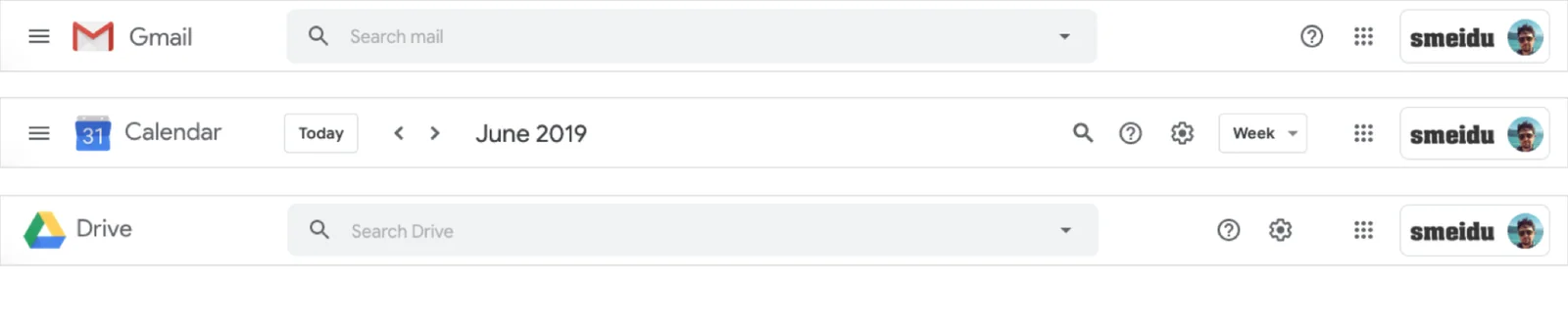
OneGoogle top right pattern
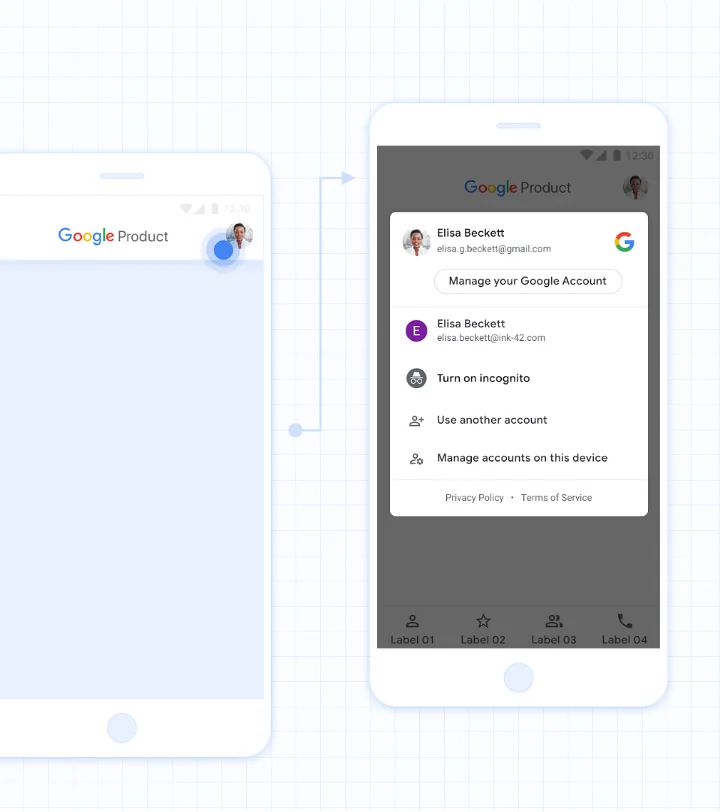
In late 2017, my role grew from focusing on UI components to defining the vision, patterns, and strategy for representing people and their accounts within Google products. This work changed how users saw and managed their identity across Google.
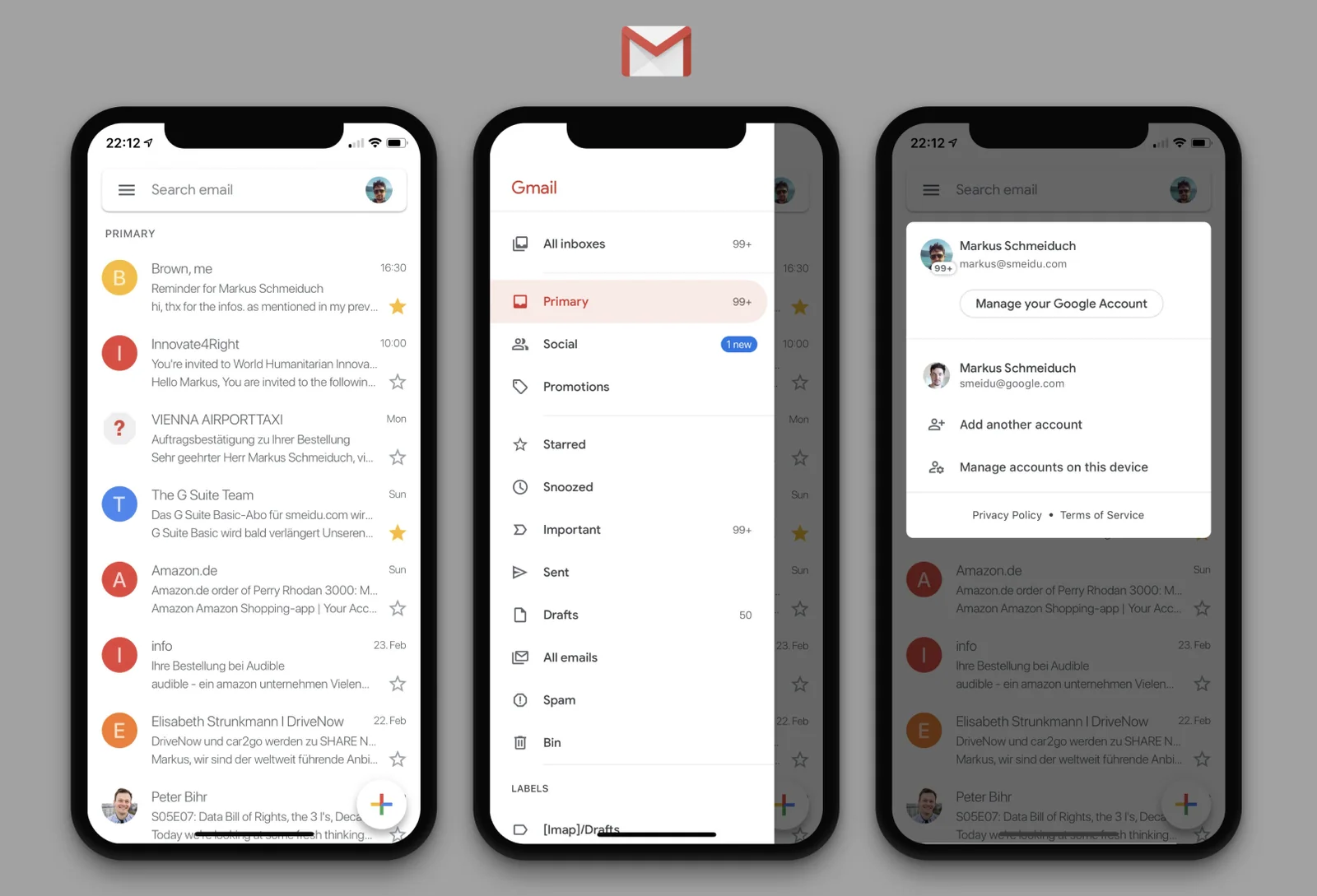
The goal was a clear representation of the user, their account status, and the Google brand: “It’s me, it’s a Google app, I’m logged in.” People could tell which account they were using, manage it, and switch to another account. The account-menu popover was designed to work across most of Google’s own apps.
By June 2019, most of Google’s own apps had launched the OneGoogle pattern and account popover.
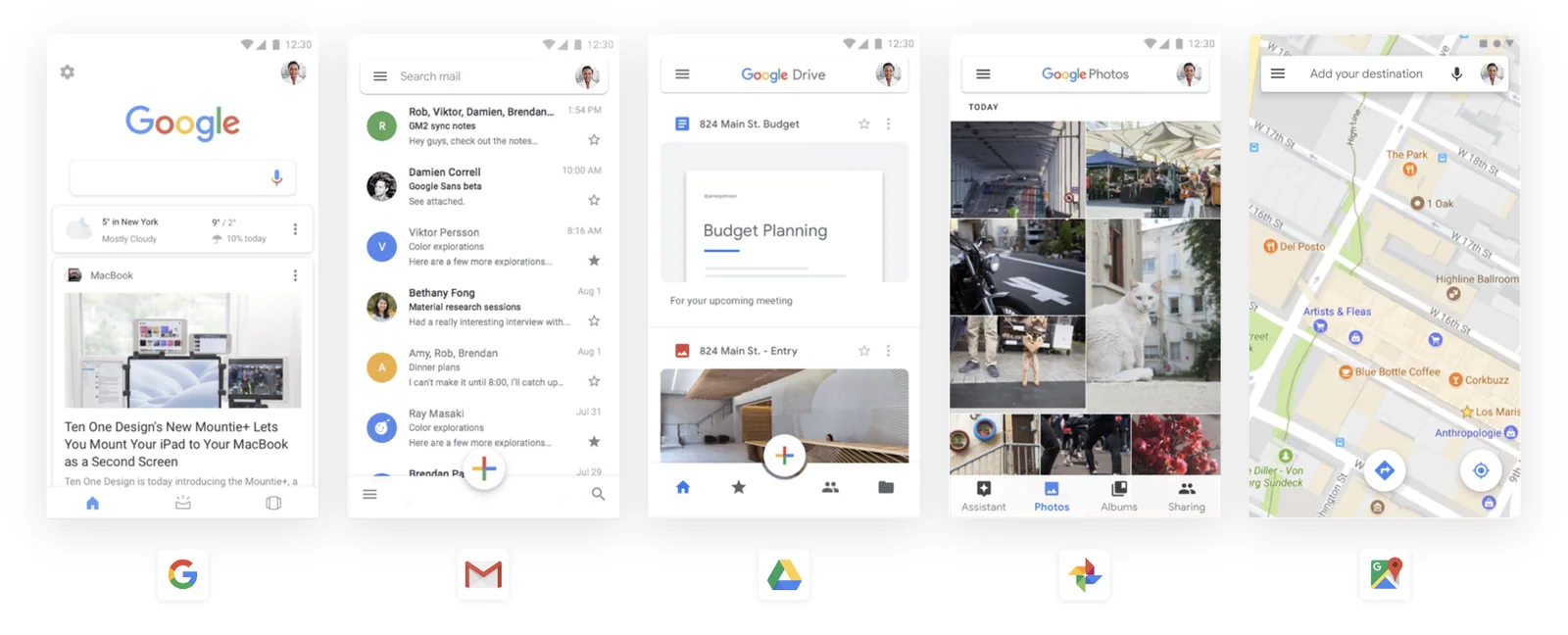
OneGoogle navigation drawer, account menu & Gmail Relaunch
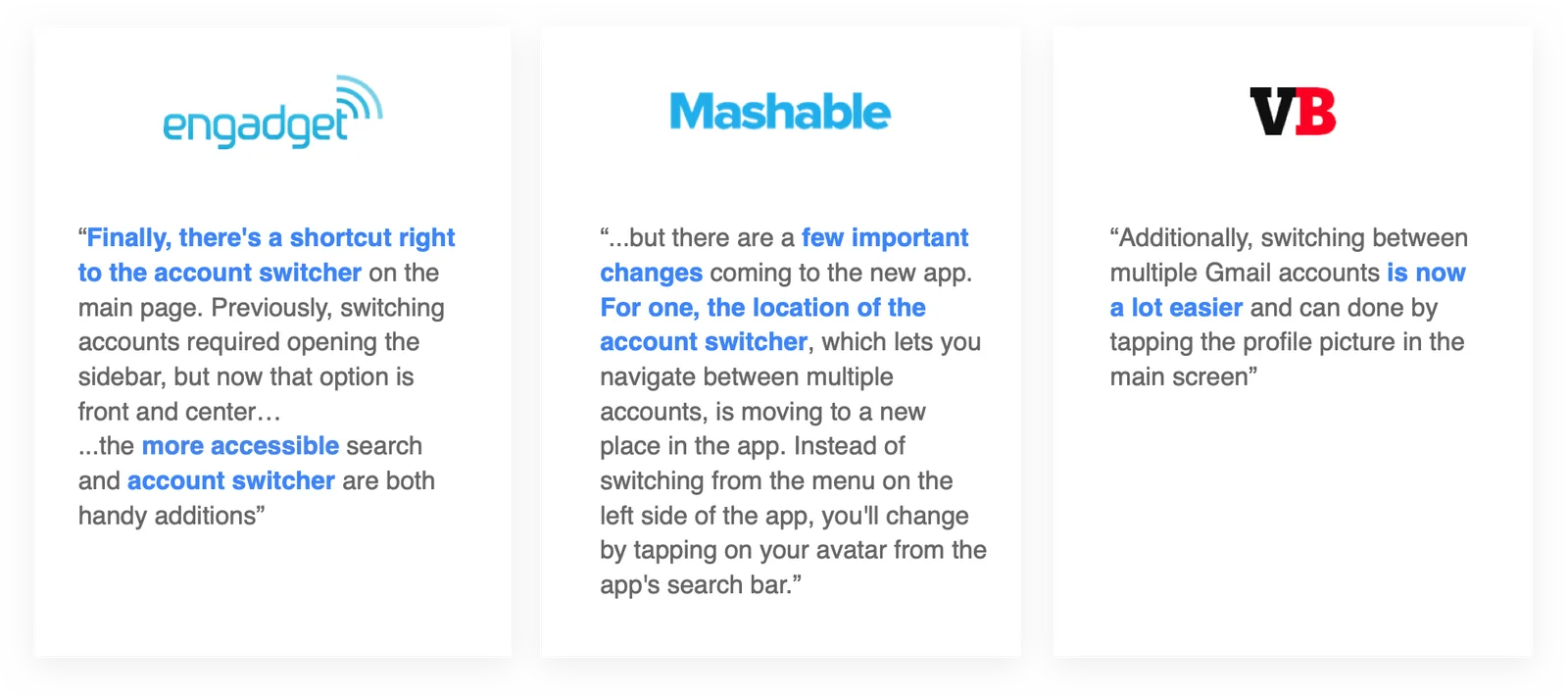
Gmail worked closely with OneGoogle, so we often introduced major pattern and component updates there first. For Gmail’s major redesign in early 2019, OneGoogle provided the navigation-drawer patterns, account representation, and account menu.
Accessibility UX
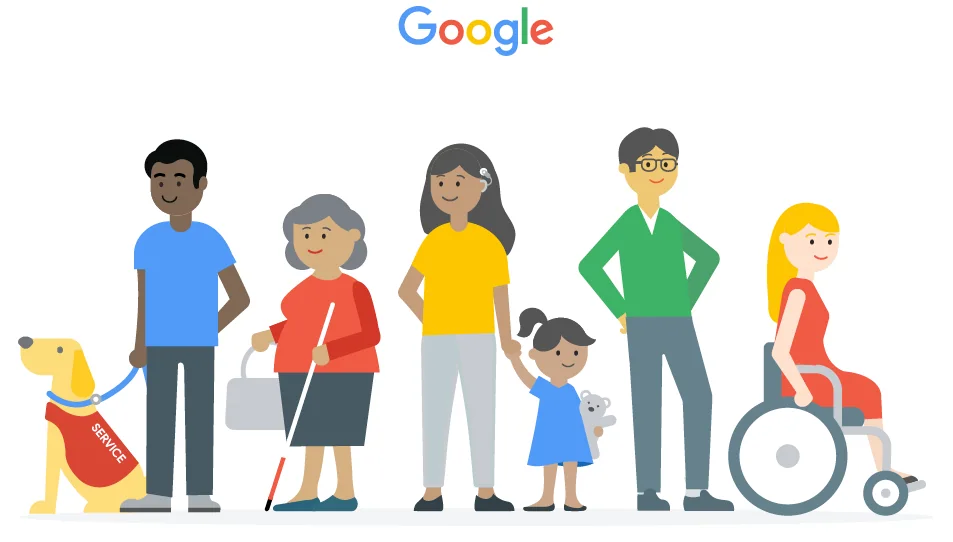
Over the years, I devoted much of my “20% time” to accessibility across Google. I started with testing and fixing issues for major launches and became a go-to person for accessibility UX advice. It let me work with many different teams and improve products used by billions of people. Definitely a career highlight for me!
I co-organized Accessibility Weeks in Google’s Munich office in 2015 and Tel Aviv office in 2017, including user research, bug-fixing sprints, workshops, and talks.
I also regularly served as an accessibility UX champion for Google’s Search, User, and Maps teams.
From 2015 to 2017, I contributed to accessibility work on the Google X self-driving car project, later renamed Waymo. I worked on hardware and software interactions for hailing, finding, and entering the car. The team’s work helped enable an independent self-driving car ride by a blind passenger.

My accessibility work helped unblock essential journeys across Google products. Sign-in, consent, and account settings need particular care: an inaccessible step can prevent someone from reaching everything that comes after it.

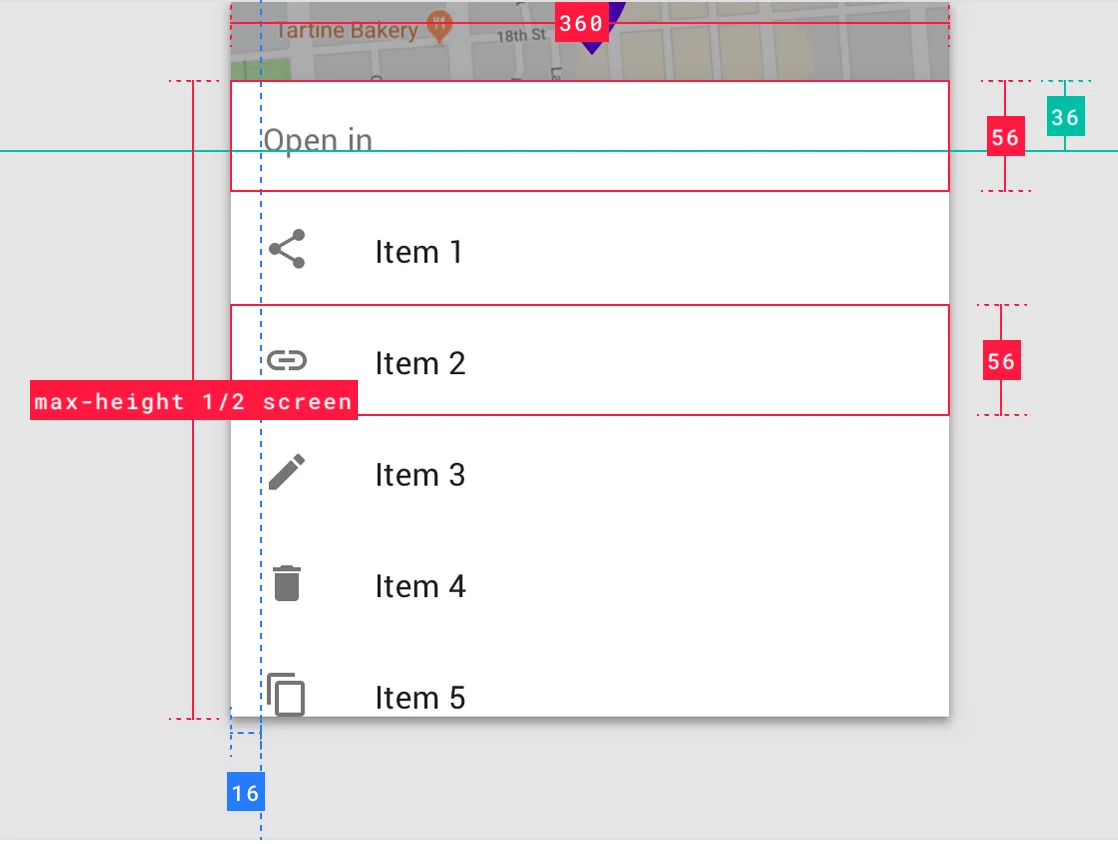
I also contributed to the Material design system, helping define the behavior and UI details of components such as bottom sheets. This included platform-specific interactions, transitions, and support for screen readers and gestures.
Working @ Google
I loved working at a truly global company. My team was spread across Mountain View, Munich, and Tel Aviv, and I spent many months in the Bay Area and Israel. I worked across time zones, cultures, and disciplines, alongside smart and kind colleagues. I grew as a designer, strategist, and manager, interviewed and mentored designers, and was promoted from Senior to Staff Interaction Designer.