
Chrome for iPad
2010
An independent interface concept for Chrome on iPad, imagined in 2010.
An independent concept from 2010. The proposal below reflects the technology and platform restrictions of that time.
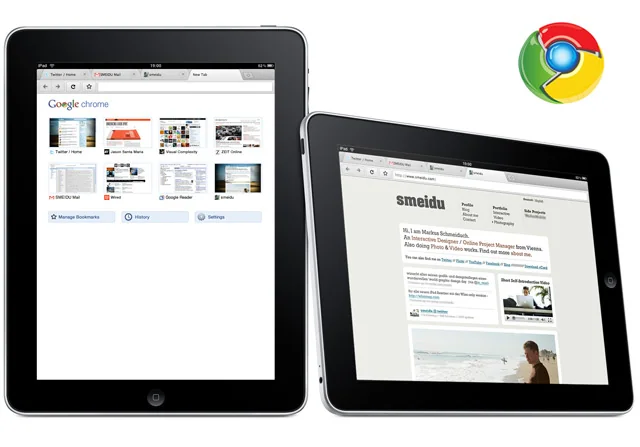
Back in 2010, I imagined what Google Chrome could look like on the iPad. I created an interface design mockup that generated lots of feedback from the interwebs. Two years later, in 2012, Google released Chrome for iPad.
My design & product proposal in 2010:
Despite the app craziness, I strongly believe in the browser as a key part of the future of mobile devices. Apple did a wonderful job with Mobile Safari, setting a benchmark for mobile browsing. Safari for iPad is good, but not yet great. There is still room for innovation, and one of the most important features would be the option to choose between different browsers.
Chrome for iPad is not realistic right now because of App Store policies and restrictions on custom JavaScript engines. But I really hope Google, Mozilla, and Opera keep pushing Apple to open the iPad and iPhone to alternative browsers.
Real Tab Browsing
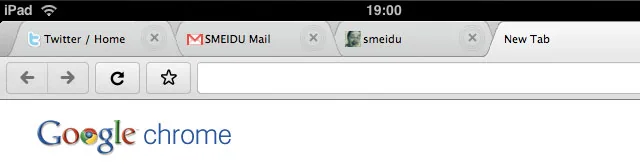
Bringing back the old-school tab! Tabbed browsing is largely missing from mobile browsers. Opera did a good job on the iPhone, and the iPad really needs a browser with proper tabs. I know there are technical limitations, such as memory, but I would prefer four tabs in the browser bar to nine Safari windows tucked away in a menu.
There needs to be enough space for fingers to navigate between tabs and buttons. My Chrome for iPad bar is only 20 pixels taller than Safari’s.
Bookmarks
Chrome’s bookmark management on Mac and PC isn’t perfect, though I love the ability to sync bookmarks between computers. Mobile Safari’s option to save a bookmark to the home screen gives web apps a chance to compete with native apps. My ideal iPad browser would combine syncing across devices, bookmarks in the browser or on the home screen, and a richer way to browse them.
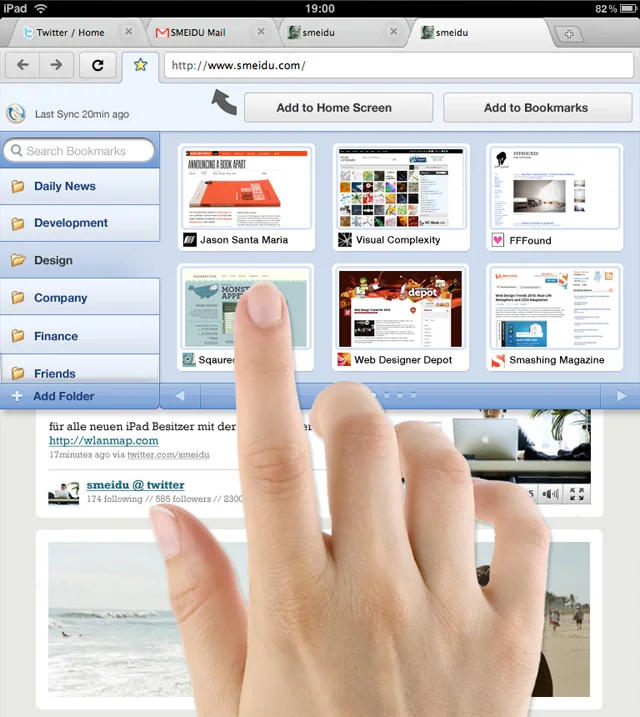 Interface Concept by Smeidu: Chrome with redesigned bookmark menu
Gestures
Another important aspect of the next generation of mobile browsers will be gestures. If people can control basic browser functions with quick finger gestures, browsing will feel much smoother. The iPad already has some good examples in the Photos app. I would love to see Apple define consistent gestures, drawing on familiar mouse gestures from Firefox and Chrome extensions.
iPad + Chrome ‘OS’. Best of both worlds?
The greatest thing about Chrome for iPad would be the combination of two platforms: the iPad’s hardware, operating system, and native apps, together with Chrome’s web apps and extensions. Wouldn’t that be a promising future, with both platforms living side by side?
I would love to hear your feedback!
Date: 2010
Project by: Markus Schmeiduch, independent concept
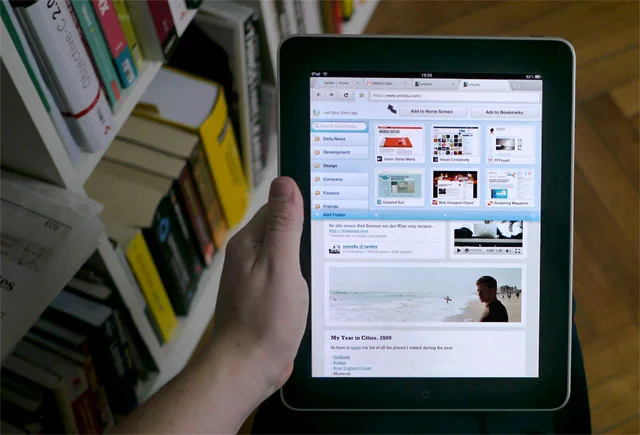
My work: Interface design and touch interactions for a hypothetical Chrome browser on iPad.
Response: The concept attracted attention from the Apple and Google communities and was featured on TechCrunch and other publications.